
Creating a Filtered List
A Filtered List pulls a set of papers out of your library into a new, static list based on criteria you define. Unlike a Smart List, it captures what matches at the moment you create it and doesn’t update afterward.
Why it’s useful
Filtered Lists let you search the full text of papers before you have access to them. That means you can narrow down which articles are actually relevant before you acquire or purchase the full text.
This works especially well in literature reviews. Import search results from other systems into your library using identifiers (such as DOIs or PMIDs), then use a full-text Filtered List to narrow them down to review candidates, even if you don’t have the PDFs yet.
How it works
Filter using library is always on. It searches the papers in your library using a query and library parameters, combined with AND, OR and NOT.
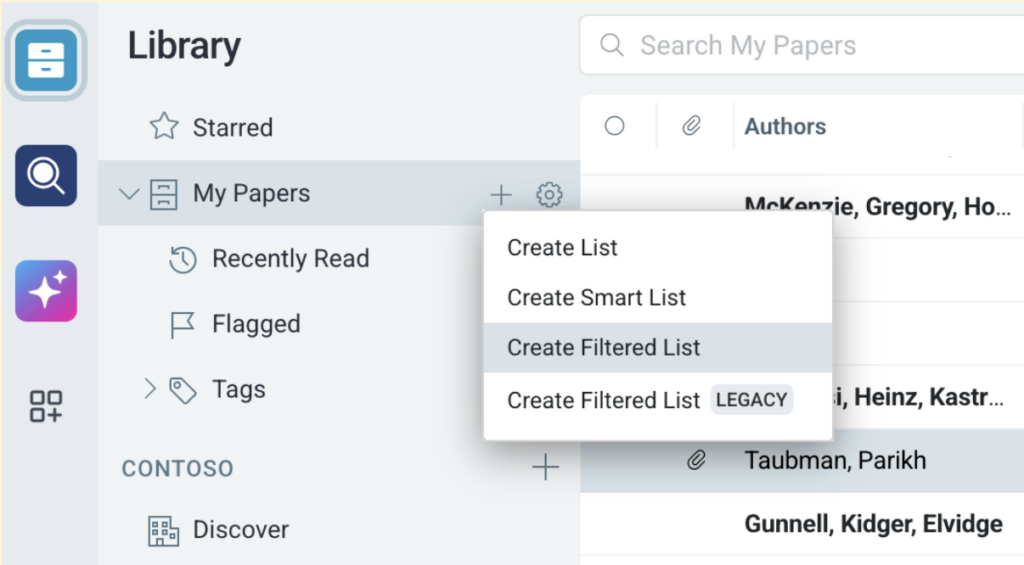
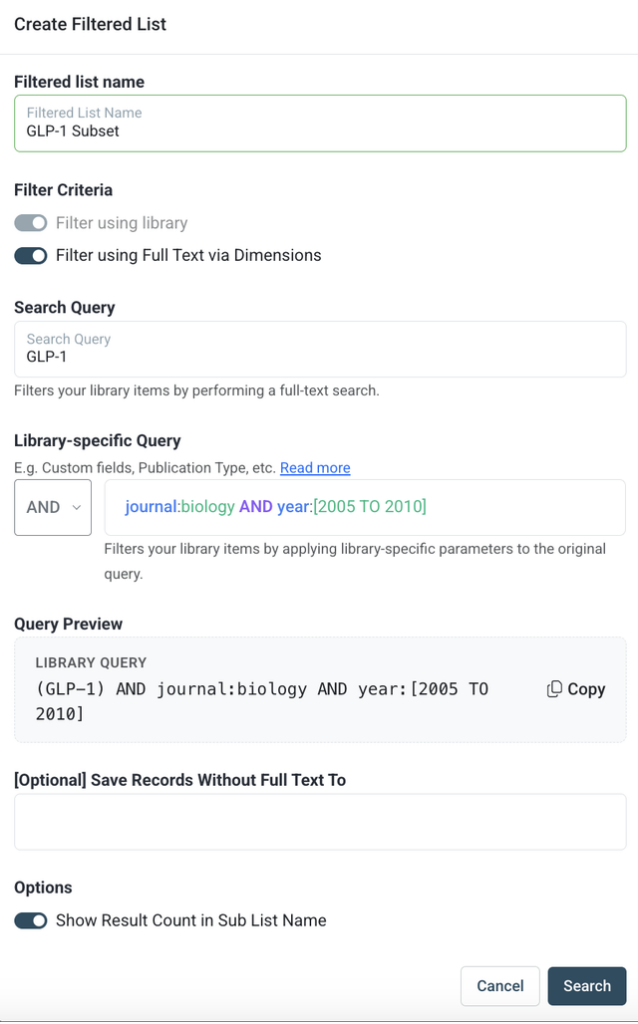
Filter using full text via Dimensions is optional. Turn it on to also search the full text of your library items on Dimensions, including papers without a PDF attached. When it’s on:
- Use the operator (AND, OR, NOT) to set how the full-text and library queries combine.
- Use Save Records Without Full Text To to send papers with no full text on Dimensions to a separate list.


